map
Gestures
2012-04-22 10:59 Stored in:Help
TrailRunner touch supports the following gestures within the main map:
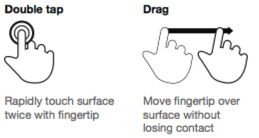
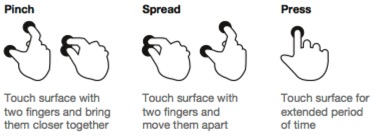
Source: touch reference touch gesture guide: TouchGestureGuide.pdf
 Double-tap with one finger: zooms in on the tapped location.
Double-tap with two fingers: zooms out on the center of the tapped locations
Pinch and Spread: zooms in and out on the center of the touches.
Drag (Tap, hold and move): scrolls the map or moves a transit location
Press (Tap and hold): opens a popover with commands available for the current context.
 Drag: scroll to the map location to the touched elevation location
Drag with two fingers: Select the touched elevation range and scroll to the map
Source: touch reference touch gesture guide: TouchGestureGuide.pdf
Interactions with the map:
Double-tap with two fingers: zooms out on the center of the tapped locations
Pinch and Spread: zooms in and out on the center of the touches.
Drag (Tap, hold and move): scrolls the map or moves a transit location
Press (Tap and hold): opens a popover with commands available for the current context.
Interactions with the elevation chart:
Drag with two fingers: Select the touched elevation range and scroll to the map