

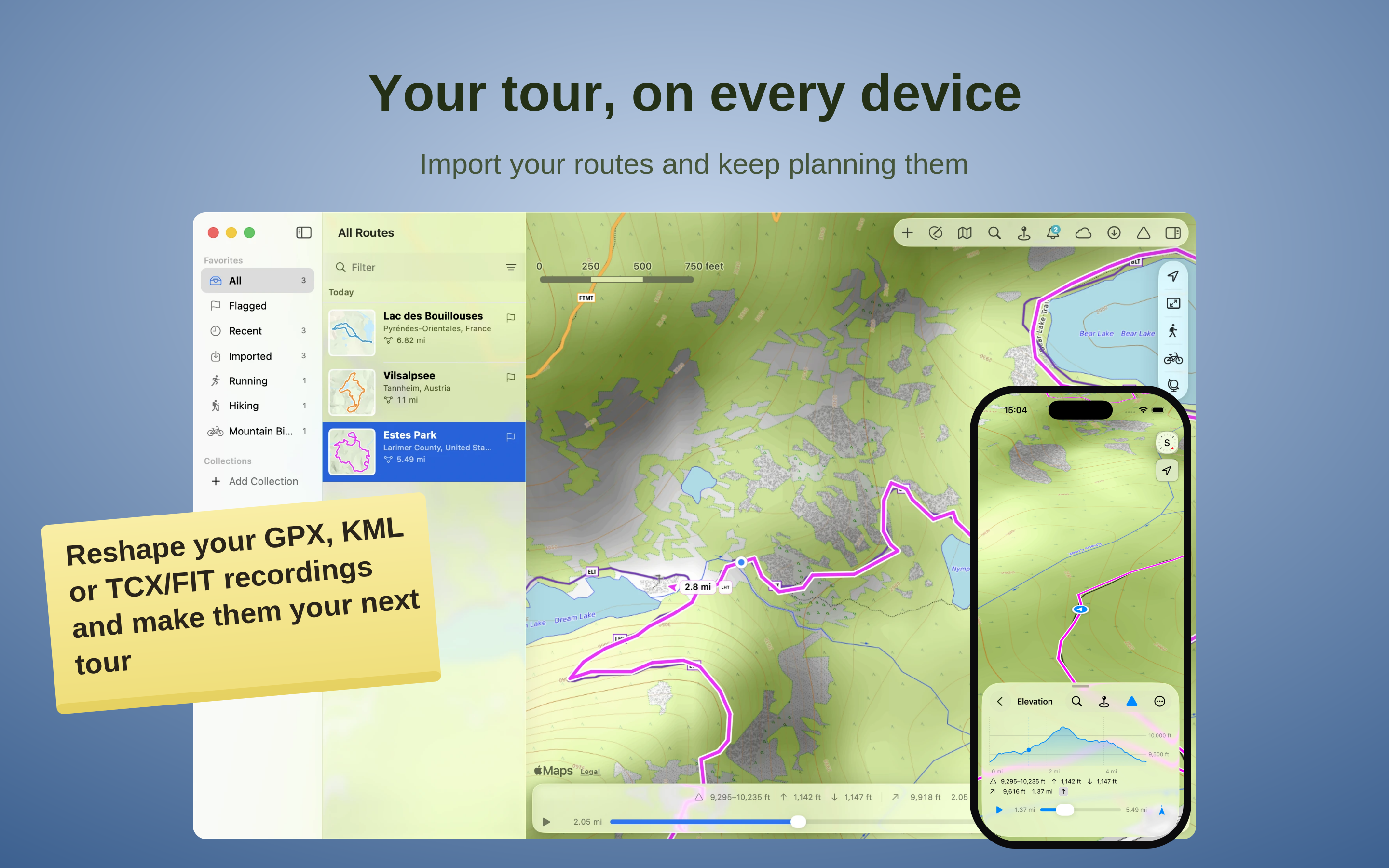
TrailRunner Mini plans, edits and exchanges routes on the Mac. It reads GPX files, plans along real trails, shows the climb of every route, and writes GPX again for your watch or another app. Your routes sync to your iPad and iPhone.
Choose File › Import Routes or drop the file on the app. TrailRunner Mini reads GPX, KML/KMZ, TCX and FIT, so files from a watch, another planner or a website all work. What you import becomes a route you can open, edit and plan from.
Bringing a route over from another service? There is a guide for Komoot and one for Google My Maps.
Routes follow the community-mapped OpenStreetMap trail network. Place waypoints and the path is routed through each of them, in order. Where no trail is mapped, a straight segment joins two waypoints directly.
Routes, tracks, waypoints and landmarks — what does each mean?
Every route has an elevation profile with its ascent, descent and elevation. Ascent adds up every uphill stretch; elevation is only the span between the lowest and the highest point.
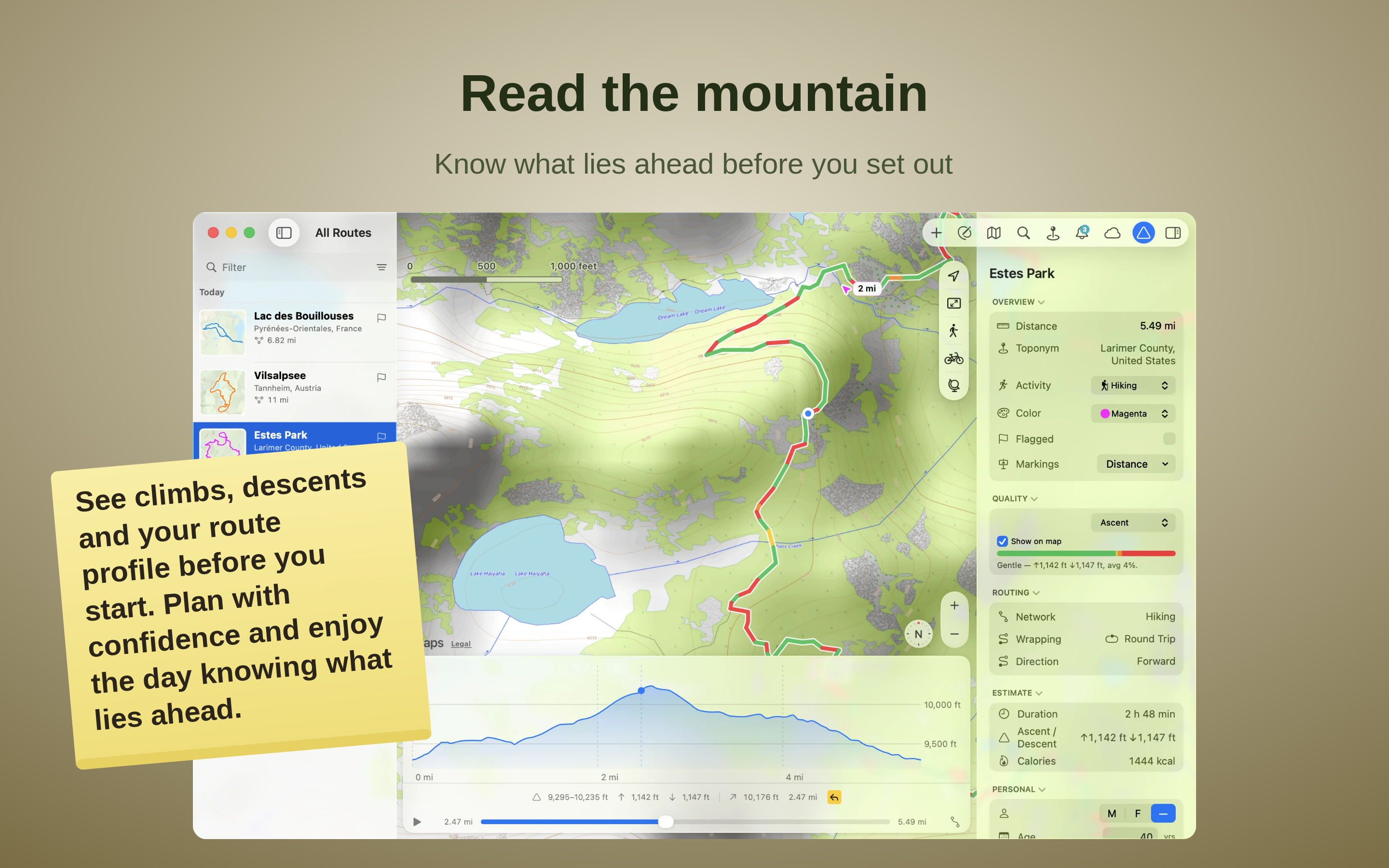
What do ascent and descent mean? How they differ from elevation
Choose Map › Preload Maps for the area you are heading to. Once it has downloaded, routing works there with no connection at all.
Why do trails and waymarks need a download first?
File › Export Route writes a GPX file you can load onto a watch or into another app. Choose With TrailRunner details to keep everything, or Track only for apps that read just the course. The answer includes step-by-step help for Garmin Connect.
How do I export a route to my watch or another app?
TrailRunner Mini is one universal app: the same App Store listing covers the Mac, iPad and iPhone. Get it with the App Store badge at the top of this page, or browse all questions and answers first.